

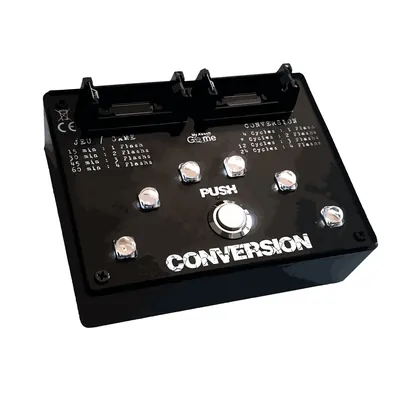
Conquest terminals and capture points for airsoft
Conquest mode follows the domination principle: one or more points to capture, and a team that counts down its timer for as long as it holds them. Each team starts with a counter; the first to empty it locks the objective in its colour and wins the round. Scoring happens on its own, with no referee posted at each point.
Why this mode changes a game
In plain elimination, a cautious team can dig in and wait. Conquest makes that impossible: doing nothing means letting the other side count down. The field starts moving and rounds often come down to a few dozen seconds.
It is also the mode that absorbs uneven team sizes best: a smaller but better organised team can hold the point at the right moment and win.
Per-team time or fixed game time
This is the real deciding factor, and it depends on how you run your games.
The Conquest Terminal works on a per-team time: set to 15 minutes, the round will last between 15 and 29 minutes depending on how the teams trade the point. Perfect for a game among friends, less so for a tight schedule.
The Professional Conquest Case answers exactly the opposite need: it enforces a fixed, global game time. Fifteen minutes means fifteen minutes. On a commercial field running back-to-back sessions, that is the only way never to overrun. It also offers instant capture, suited to fast formats, and ships in a shockproof, waterproof case.
How to choose
- To get started — the Conquest Terminal covers the essentials: 2 or 3 teams, four preset durations, and a setup done in seconds on the field.
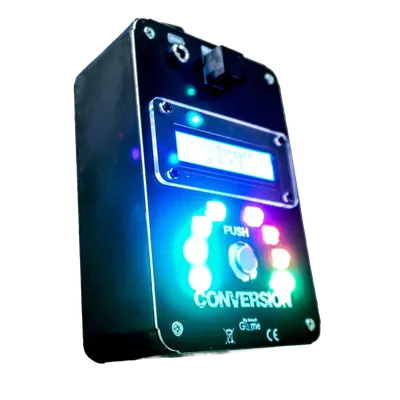
- To go further — the NEXUS Terminal pushes the settings much further and adds two modes beyond conquest: a Spy mode, where one team hacks points defended by guards, especially effective at night, and an Extraction mode. It keeps its settings when switched off and accepts the capture key as an option.
- For professional use — the Professional Conquest Case, for its fixed game time, instant capture and reinforced case.
Chaining objectives
The most common setup does not run conquest and defusal in parallel, but one after the other. Defusal becomes the final objective: until every terminal has turned to one team's colour, that team may not plant the charge. Conquest serves as the opening phase and the bomb closes the round.
It is the organiser who makes that connection in the rules. The devices do not talk to each other and have no need to: each plays its part, the scenario ties them together.
How many points to plan for
Three objectives make the most balanced format: it forces a choice between holding and attacking without spreading teams too thin. Below that, the game freezes around a single point. Above five, players spend more time walking than playing, unless the field is very large.
Conquest
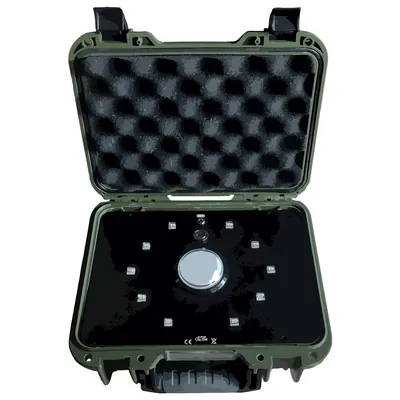
Professional Conquest Case
The professional push-button module, with game data saved at every power-off
€240.00
Out of stock→
Frequently asked questions
How many players does a conquest scenario need?
From about ten players the mode comes into its own. Below that, one or two objectives are enough; above thirty, three to five points spread the teams out better.
Is scoring automatic?
Yes. Each device counts down the possession time of the team holding it and locks in its colour as soon as a counter reaches zero.
Do I need a network or an internet connection on the field?
No, the devices are fully self-contained. Only the MAG 2.1 Case offers an optional direct Bluetooth link to an Android phone, which uses neither the internet nor a mobile network.
What is the difference between the Conquest Terminal and the Professional Case?
The terminal sets a per-team time, so the real length of the round varies. The case enforces a fixed global game time, which keeps a session to the minute.
Can I play conquest and defusal with the same hardware?
Yes. The MAG 2.1 Case combines bomb, conquest and VIP modes in one unit, and the organiser switches between them between rounds.
How do I chain conquest and defusal in a single scenario?
By making defusal the final objective: the team must first hold every terminal in its colour before earning the right to plant the charge. The rules create that link — the devices do not communicate.